Starlink Mini in a Cirrus
Plans, power, and cabling for a Starlink Mini in a Cirrus. Start with the plan section — Starlink reprices Roam often, so confirm the current numbers before you buy.
Which plan you need
For a Cirrus, the honest answer is nearly always a consumer Roam plan. It supports in-motion use, the hardware is the packable Mini, and it's the cheapest way to get connected.
Pick the tier by how much data you burn — the entry plan covers most owners.
Prices above were checked August 2026. Roam pricing shifts often, so treat these as a starting point and confirm the live figure at checkout.
Starlink markets a distinct certified Aviation service aimed at jet and turbine operators, with its own hardware, terms, and price. Roam is a consumer plan that supports in-motion use on land and water. Piston owners do fly Starlink Minis on Roam, and it works well for them in practice.
But Starlink does not market Roam as an aviation service and does not commit to in-flight coverage on it. Fly it on Roam with eyes open: it is a consumer plan being used off-label, not an official aviation offering.
Starlink has adjusted consumer and aviation offerings more than once in 2026, and general-aviation groups have been vocal about pricing and in-motion terms. It's worth rechecking before you commit either way.
We'll keep this page current as it moves.
The dish itself
You want the Mini, not the Standard dish. It's the only one that packs sensibly into a baggage compartment, and it's the one our mount is built around.
The Mini has been discounted repeatedly since launch — it opened around $499–599 and has sat near $199 through 2026. If you see list price, wait a week.
Power supply
The standard USB outlets in Cirrus SR aircraft can't supply what the Starlink Mini draws. You need either a USB-C power bank or a proper outlet installed in the aircraft. This is the single most common mistake people make on their first attempt.

Reported draw for the Mini is roughly 20–40 W depending on conditions. That figure is what makes the battery maths work — a 100 W-capable USB-C bank will run it for hours, a phone charger will not run it at all.
LiFePO4 needs a physically larger pack to match LiPo performance. That's the trade for the reduced fire risk, and in an aircraft we think it's the right trade.
Other supplies will work — check the Mini's spec sheet against what you have. For a permanent fix, search COPA for installing a 24 V outlet in the luggage area; that's the best long-term answer if you'd rather not carry a power station at all.
Power cable

The cable in the box is longer than you need. A 6.5 ft cable keeps the luggage area far tidier and there's no downside — the 6.5 ft cables all appear to come from the same manufacturer, so buy whichever is cheapest with decent reviews.
Starlink Mini 6.5 ft cable ↗Mounting it
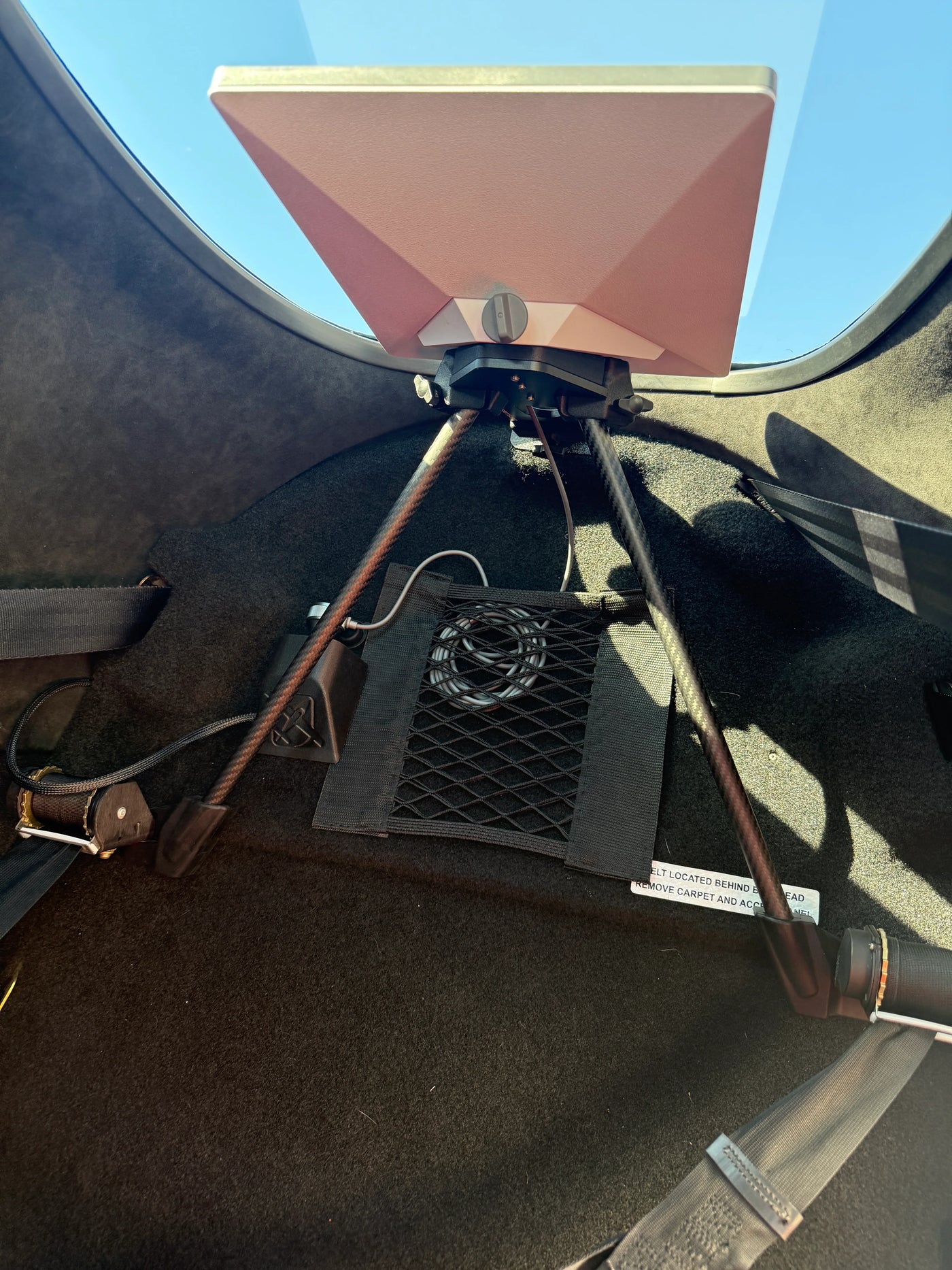
Once the plan and power are sorted, the dish needs somewhere to live that doesn't slide around, block your sightline, or require drilling.
Clamps onto the upper luggage bracket
No drilling, fully reversible, and the luggage net stays in. 6061-T6 aluminium plate carries the load. Fits SR20, SR22, and SR22T — G5 through G7+ direct, G3 and earlier with brackets.